Showing posts with label canon. Show all posts

Thursday, March 30, 2017

how to reset waste ink counter canon pixma ix5000 and ix4000

how to reset waste ink counter canon pixma ix5000 and ix4000


To reset counter Canon PIXMA iX4000 or iX5000 you have to enter to service mode. Procedure to enter to service mode on Canon PIXMA iX4000 or iX5000 is as following :
  1. Connect the Canon PIXMA iX5000 or iX4000 printer to the power cord. ( note : If the automatic power-on function is enabled in the printer, the printer enters the service mode for the first time, but it will never enter the service mode if the printer is turned off by the Power button. This is because the printer remains to be turned on internally if the power is turned off by the Power button. To prevent this, disconnection of the power cord is required before starting the printer in the service mode ) .
  1. With the Canon PIXMA iX5000 or iX4000 printer powered off, while pressing the Resume/Cancel button, press and hold the Power button. (note : Don’t release the buttons. The Power LED lights in green to indicate that a function is selectable.)
  1. While holding the Power button, release Resume/Cancel button. (Don’t release the Power button.)
  1. While holding the Power button, press Resume/Cancel button 2 times, and then release both the Power and Resume/Cancel buttons.
  1. When the Power LED lights in green, press the Resume/Cancel button 4 times to reset waste ink counter in the Canon Pixma iX5000 / iX4000. (note : If the Power LED does not light in green the printer does not enter the service mode, disconnect the power cord and plug it again. Then start from step 1 to start the printer in the service mode again).
  1. At the end of the service mode, press the Power button. The paper lifting plate of the sheet feed unit will be raised.
  • Note :
  • Each time the Resume/Cancel button is pressed, the Alarm and Power LEDs light alternately, Alarm in orange and Power in green, starting with Alarm LED.
  • Other specified number of time(s) according to the function listed in the table below :
Time(s) LED indication Function Remarks
0 times Green (Power) Power off
1 time Orange (Alarm) Service test print
2 times Green (Power) EEPROM information print
3 times Orange (Alarm) EEPROM initialization
4 times Green (Power) Waste ink counter resetting
5 times Orange (Alarm) Destination settings
6 times Green (Power) Print head deep cleaning (Cleaning of both black and color)


Available link for download

Read more »

Wednesday, March 29, 2017

How to fix Error 1683 in Canon MX Series Printers

How to fix Error 1683 in Canon MX Series Printers


1683- Orange light blinking 13 times
Description:

The remaining ink amount is unknown.
Resolution:
1.      An ink cartridge that was once empty is installed in the printer.
2.      Replace the applicable ink cartridge with a new one.
NOTE: Printing with a once empty ink tank can damage the printer.
3.      If ink cartridge has been replaced, press the [Resume/Cancel] button on the device to continue printing

4.      If the above solution has not resolved your error, please contact Canon 855-517-2433


Available link for download

Read more »

How to Troubleshoot Scanning on a Canon MX870
How to Troubleshoot Scanning on a Canon MX870


How to Troubleshoot Scanning on a Canon MX870

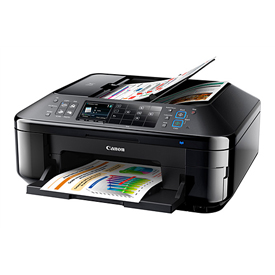
The Canon PIXMA MX870 is an all-in-one inkjet printer capable of printing, sending and receiving faxes, and scanning documents. Somewhere along the line during ownership, you may run into problems while scanning. Most of these problems can be solved by either altering scan settings or by proper maintenance of the scanner. By tweaking the appropriate settings, you can get your built-in scanner up and running again

·  Check the printer. Make sure that the power cord is plugged in and that the printer is turned on. Make sure one end of the USB cable is firmly connected to the printer, and the other end is inserted into a working USB port on your computer.
·  2
Check the document you are attempting to scan. If you do not have a quality document to begin with, you cant expect much from the final product. Above all, make sure that the document you are attempting to scan isnt too faded. Light markings, such as pencil, can be difficult to scan properly.

·  3
Clean the glass of the scanner, along with the plastic plate above the scanner glass. Turn off and unplug your printer before cleaning, and then wipe down the scanner with a slightly damp, lint-free glass cleaning cloth. Make sure that the cleaned areas are completely dry before turning the printer back on.
·  4
Increase the resolution on the scanner. You can access the resolution settings in the "Scanning Resolution" dialog box, which can be found under the "Scan Settings" header. If your scanning resolution is low, your image may come out looking blocky and may appear out-of-focus.
·  5
Open the ScanGear tool on your computer. Click the "Preferences" button in the top-right corner of the window. Click the "Color Settings" tab. Normally, you should set the color settings to "Recommended." However, if the colors in your document are not scanning properly, try switching to the "Color Matching" setting.
·  6
Open the ScanGear tool on your computer. Open the "Advanced Mode" tab. From here, you can make more detailed changes to how your document is scanned. For example, if you are having a problem with dust and scratches appearing in your scanned document, alter the "Reduce Dust and Scratches" setting. Or, if stripes are appearing across your document, turn on Descreening.


Available link for download

Read more »

how to solve Error 2103 in Canon MX Series Printers

how to solve Error 2103 in Canon MX Series Printers


Error Code: 2103

Description
The machine cannot detect the paper size.
Resolution
1.      Press the machines [Stop]button to dismiss the error and then try to print again.
2.      If this error still occurs even after printing again, set the machine not to detect the paper width by using the operation panel, the printer driver, or Remote UI.
Note- Depending on the type of paper, the machine may not detect the paper width. Additionally, if the paper output cover is opened while printing is in progress, the machine may not detect the paper width.
If the above solution has not resolved your error, please contact Canon authorised service 855-517-2433.


Available link for download

Read more »

Monday, March 27, 2017

How to Reset Canon Pixma MP110 and MP130

How to Reset Canon Pixma MP110 and MP130


How to Reset Canon Pixma MP110 and MP130

Try this methode to reset Canon Pixma MP110 and MP130 printers

Resetting overflow error code for Printer Canon Pixma MP110 :

  1. Turn on the printer.
  2. Click Menu, and then Scan, Copy and Scan again. All – entered the service mode.
  3. Select Counter
  4. Click Copy – everything. Waste dropped to zero.
  5. Turn off the printer POWER button.

Reset Canon Pixma MP130 Printer
  1. Turn on the printer.
  2. Press the MENU key, and then SCAN, COPY and SCAN again – entered the service mode.
  3. Select NVRAM ACCESS further OK.
  4. Select SET ABS-M LEVEL and set value equal to zero.
  5. Select SET ABS-R LEVEL (if any) and is set to zero.
  6. Turn off the printer POWER button.


Available link for download

Read more »

Sunday, March 26, 2017

How to reset waste ink tank for a Canon Bubble jet I965

How to reset waste ink tank for a Canon Bubble jet I965


Software ZoneAlarm

Lindungi komputer Anda dari serangan hacker ketika Anda sedang online. Program ini dilengkapi fitur-fitur firewall, application control, internet lock dan sebagainya

firewall, Management Tools, Microsoft Windows, Personal Firewalls, Products, Security, zonealarm

Software ZoneAlarm

Download


Available link for download

Read more »

Error E03 pada Printer Canon MP258 dan Cara Mengatasinya

Error E03 pada Printer Canon MP258 dan Cara Mengatasinya

mengatasi masalah error e03 canon MP258, resetter canon mp258, error kode printer canon, resetter printer canon ip2770, resetter printer canon mp237, resetter printer canon mp287, resetter printer canon mp258, resetter printer canon, resetter printer canon mg2570, resetter printer canon ip1880, resetter printer canon mx377, resetter printer canon e500, resetter printer canon ip 1980, resetter printer canon ip2770, resetter printer canon mp237, resetter printer canon mp287, resetter printer canon mp258, resetter printer canon mg2570, resetter printer canon ip1880, resetter printer canon mx377, resetter printer canon e500, resetter printer canon ip 1980, resetter printer canon ix4000, resetter printer canon all type, resetter printer canon all in one, reset canon printer after ink refill, reset printer all canon, master resetter printer canon all in one, reset printer canon ip1980 absorber full, reset printer canon ink absorber, resetter all printer canon, aplikasi resetter printer canon ip2770, aplikasi resetter printer canon mp258, resetter printer canon bjc-2100sp, resetter printer canon bjc 1000sp, reset printer canon bjc 2100sp, cara reset printer canon bjc 2100sp, reset printer canon ip2770 blink 7x, reset printer canon ip 2770 b200, cara reset printer canon bjc 1000sp, reset printer canon ip1980 blink 7 kali, resetter printer canon ip2770 error b200, reset printer canon ip2770 error b200, reset printer canon cartridge, reset canon printer cartridge chip, reset printer chip canon, reset printer counter canon, reset printer cartridge canon mp258, reset canon printer ink cartridge, cara resetter printer canon ip 2770, cara resetter printer canon mp287, cara resetter printer canon mp258, cara resetter printer canon ip1980, resetter printer canon download, download resetter printer canon ip 2770, resetter printer canon ip1980 download, resetter printer canon ip1880 download, resetter printer canon mp287 download, reset printer canon mp258 dengan menggunakan software, reset printer canon ip3680 download, reset printer canon mp287 dengan menggunakan software, reset printer canon mp258 driver, cara reset printer canon dengan software, resetter printer canon e500, resetter printer canon e510, reset printer canon e600, reset printer canon e510, reset printer canon error 5100, reset printer canon e27, reset printer canon error 5200, download resetter printer canon e500, resetter printer canon pixma e500, resetter printer canon ip2770 error 5b00, reset canon printer firmware, resetter printer canon mp145 free download, resetter printer canon ip2770 free download, printer resetter for canon ip1980, printer resetter for canon ip2770, printer resetter for canon, printer resetter for canon mp287, resetter printer canon ip1980 free, resetter printer canon ip1880 free download, printer resetter for canon mp258, resetter printer canon ip1980 gratis, download resetter printer canon mp258 gratis, download resetter printer canon ip1880 gratis, download resetter printer canon ip1980 gratis, download resetter printer canon ip2770 gratis, download gratis resetter printer canon ip 2770, download gratis resetter printer canon ip 1980, download gratis resetter printer canon mp287, general tool resetter printer canon ip 2770, download gratis resetter printer canon mp258, resetter printer canon ip2770, resetter printer canon ip1880, resetter printer canon ip 1980, resetter printer canon ix4000, resetter printer canon ip2700, resetter printer canon ip2770 windows 7, resetter printer canon ip2700 series, resetter printer canon ip2770 terbaru, resetter printer canon ip2770 error code 006, resetter printer canon ix6500, reset printer canon mp145 paper jam, resetter semua jenis printer canon, resetter untuk semua jenis printer canon, kumpulan resetter printer canon, download kumpulan reseter printer canon, reset printer canon lbp2900, reset printer canon l100, cara reset printer canon lbp 2900, reset canon printer ink level, resetter lengkap printer canon, download printer canon resetter lengkap, resetter printer canon mp237, resetter printer canon mp287, resetter printer canon mp258, resetter printer canon mg2570, resetter printer canon mx377, resetter printer canon mx328, resetter printer canon mp198, resetter printer canon mp250, resetter printer canon mp287 free download, resetter printer canon mg2270, reset printer canon ip2770 not responding, reset printer canon ip1980 online, reset printer canon ip2770 online, resetter printer canon all in one, master resetter printer canon all in one, software resetter untuk printer canon mp258, reset printer canon online, resetter printer canon pixma mp258, resetter printer canon pixma ip2770, resetter printer canon pixma mp237, resetter printer canon pixma mp287, resetter printer canon pixma ip1980, resetter printer canon pixma ip3680, resetter printer canon pixma ip1300, resetter printer canon pixma mp198, resetter printer canon pixma mp145, resetter printer canon pixma ip1200, resetter printer canon service tool v3400, resetter printer canon semua tipe, reset printer canon s100sp, reset printer canon s200spx, reset canon printer software, resetter printer canon ip2700 series, download resetter printer canon service tool v3400, resetter printer canon ip1900 series, resetter printer canon mp476 software, reset printer canon ip2700 series, resetter printer canon terbaru, reset printer canon tanpa software, reset printer canon terbaru, reset printer canon t11, reset printer canon t13, reset canon printer to factory, resetter printer canon service tool v3400, resetter printer canon all type, resetter printer canon ip 2770 terbaru, resetter printer canon ip1980 tool, resetter printer canon ip1980 untuk windows 7, reset printer canon mp258 using software, reset printer canon mp250 using software, resetter untuk printer canon mp258, resetter untuk printer canon ip 2770, resetter untuk printer canon mp287, resetter untuk semua printer canon, resetter printer canon v3400, reset printer canon ip2770 v3400, resetter printer canon service tool v3400, download resetter printer canon service tool v3400, download resetter printer canon ip2770 servicetool_v1074planet, download resetter printer canon ip2770 service tool v1074 planet, resetter printer canon ip2770 v3400, resetter printer canon ip2770 windows 7, resetter printer canon ip1980 windows 7, reset printer canon ip1980 windows 7, reset printer canon ip 1980 win7, reset printer canon ip 2770 windows 7, resetter printer canon ip1980 untuk windows 7, resetter printer canon ip 1980 win7, resetter printer canon ip1880 for windows 7, reset printer canon ip 2770 win7, reset canon printer wont turn on, resetter printer canon ip2770 error 006, reset printer canon mp258 error e05, reset printer canon ip2770 error 006, reset printer canon mp258 error 006, reset printer canon ip2770 error 005, resetter printer canon ip2770 error code 006, reset printer canon mp287 error 006, resetter printer canon 1880, resetter printer canon 1980, resetter printer canon 1900, resetter printer canon 1800, resetter printer canon 1200, resetter printer canon 1980 free download, resetter printer canon 145, resetter printer canon 1600, resetter printer canon 1700, resetter printer canon 1300, resetter printer canon 2770, resetter printer canon 237, resetter printer canon 287, resetter printer canon 2700, resetter printer canon 258, resetter printer canon 280, resetter printer canon 250, resetter printer canon 2270, reset printer canon 2770, reset printer canon 258, resetter printer canon 3680, reset printer canon 3680, reset printer canon 3600, resetter printer canon mx 366, resetter printer canon ip3680, resetter printer canon mx328, resetter printer canon mx377, resetter printer canon mx360, resetter printer canon mx 357, resetter printer canon mx 370, cara reset printer canon 6560, reset printer canon ix6500, reset canon printer mp610, download resetter printer canon ix6560, reset printer canon mp 640, resetter printer canon ip2770 windows 7, resetter printer canon ip1980 windows 7, reset printer canon ip1980 windows 7, reset printer canon ip 2770 windows 7, reset printer canon ip2770 blink 7x, reset printer canon ip1980 blink 7 kali, resetter printer canon ip1980 untuk windows 7, resetter printer canon ip1880 for windows 7, reset printer canon mp145 e 8, reset canon printer mp830, reset printer canon ip 900, reset printer canon pro 9000
Pada saat printer canon MP 258 akan mencetak tiba-tiba kertas tidak mau mau masuk kemudian screen printer menunjukan Error E03, sedang di layar monitor menunjukan bahwa terjadi paper jam dan diperintahkan untuk menekat tombol Start (Black / Green). Setelah di tekan tombol tersebut ternyata printer tetap tidak bisa mencetak dan kembali menunjukan geja seperti semua yaitu muncul E03 dan paper jam pada layar monitor.

Mungkin anda juga ada yang pernah mengalami hal seperti kasus di atas atau anda yang sekarang sedang membaca halaman ini memang sedang mengalami masalah Error E03 Canon MP258. Oke, silakan lanjutkan membacanya, siapa tahu apa yang akan saya bagi berdasarkan pengalaman saya akan membantu mengatasi masalah anda.

Error E03 pada canon MP258 memang mengindikasikan bahwa tidak ada kertas yang masuk ke printer untuk mencetak. Hal ini bisa terjadi karena :
1. memang belum ada kertasnya
2. ada kertas tapi tidak masuk

Kalau memang tidak ada kertasnya gak usah dibahas, langsung aja kasih kertas kemudian tekan tombo start. Kalau ada kerta tapi tidak mau masuk ini yang perlu kita atasi. Kita analisa beberapa kemungkinan.

Kemungkinan pertama adanya penghalang pada rol sehingga kertas tidak mau masuk. Misal, ada barang seperti pasir, potongan kertas, plastik atau benda apa saja yang masuk pada rol sehingga menghalangi kertas untuk masuk. Untuk itu silakan cek dan kalau memang ada silakan bersihkan. Cara membersihkannya kalau memungkinan tanpa harus membongkar penutup printer maka lakukan dengan cara menarik atau mendorongnya dengan apa benda apa saja yang penting bisa mengeluarkan penghalang pada rol tersebut.

Kemungkinan kedua adalah matinya sensor kertas. Nah, kalau ini parah dan memerlukan penanganan khusus. Tentu hal ini kalau sudah diperiksa tidak ada benda apapun yang menghalangi kertas untuk masuk tapi tetap saja masih Error E03 maka dapat dipastikan bahwa sensor kertas mati. Untuk itu silakan bongkar dan ganti dengan yang baru.


Available link for download

Read more »

Saturday, March 25, 2017

Error code 5 155 55 on Canon printers

Error code 5 155 55 on Canon printers


Error code 5,155,55 , is a communication error between the scanner and the computer. This error could appears with Canon printer
Solution 1:
  • Power off and unplug the printer from the computer.
  • Uninstall the Canon software.
  • Restart the computer and download the last Canon driver
  • Install the driver and restart Windows
  • Reconnect the printer and switch it on.
Solution 2:
  • Check for the USB cable: it must be connected to the back of the printer.
  • Try another USB cable.
Solution 3:
  • Connect the USB cable on another USB port of the computer.
·         Posta Question....


Available link for download

Read more »

Friday, March 24, 2017

How to Fix Error Code E13 and 1686 in Canon MX Series Printers

How to Fix Error Code E13 and 1686 in Canon MX Series Printers


Error Code: 1686/E13

Description

The ink may have run out.

Resolution
1.      Replace the empty ink cartridges.
Canon recommends using new genuine Canon cartridges in order to obtain optimum qualities.
Please view the compatible ink cartridges for your machine using our 
PIXMA ink finder.

NOTE -  Since the information contained in the fax may be lost if it is printed in this condition, the received fax will not be printed and will be stored in the machines memory until the ink cartridge is replaced. You must manually print out faxes that were stored in the memory. You can change the setting so that the received fax is forcibly printed out instead of being stored in the memory, but all or part of the fax information may not be printed because of the ink out condition.
   If the above solution has not resolved your error, please contact Canonauthorised service facility.


Available link for download

Read more »

Thursday, March 23, 2017

How to Fix Error 1486 E07 in Canon MX Series Printers

How to Fix Error 1486 E07 in Canon MX Series Printers


1486/E07

Description

The FINE cartridge is not installed in the correct position.

Resolution

Make sure that each FINE cartridge is installed in the correct position


If the above solution has not resolved your error, please contact Canon authorised service facility.


Available link for download

Read more »

Wednesday, March 22, 2017

How to Fix Error 1000 in Canon MX Series

How to Fix Error 1000 in Canon MX Series


1000 - Orange light blinking 2 times


Description:

There is no paper in the rear paper tray at the back of the printer.


Resolution:


1.      Insert paper into the rear tray.

2.      Press the [Resume/Cancel]button on the device to continue.

If the above solution has not resolved your error, please contact your nearest Canon authorised service facility.


Available link for download

Read more »

Tuesday, March 21, 2017

How to Manual Reset Printers Canon Pixma iP4200 iP5200 iP6000 and iP8500

How to Manual Reset Printers Canon Pixma iP4200 iP5200 iP6000 and iP8500


Canon Pixma iP4200, iP5200, iP6000, iP8500 Reset Procedure

  1. Turn off the Printers.
  2. Hold Resume button click POWER.
  3. Hold button RESUME, release POWER
  4. Then press the button again twice RESUME.
  5. Release all the buttons.
  6. Indicator led in green and stay green.
  7. Click the button 4 times RESUME, if you want to make another transaction. :
Look at the table below:

1 led- Orange – Service test print 1 times – Orange – Service test print
2 led – Green – EEPROM information print 2 times – Green – EEPROM information print
3 led – Orange – EEPROM initialization 3 times – Orange – EEPROM initialization
4 led – Green – Waste ink counter setting 4 time – Green – Waste ink counter setting
5 led – Orange – Destination setting (Press Power > Press Resume 3x) 5 times – Orange –
Destination setting (Press Power> Press Resume 3x)
6 led – Green – Print head deep cleaning 6 times – Green – Print head deep cleaning
11-13 led – Orange, Green, Orange – Return to menu selection
14 led – Green – Left margin correction 14 times – Green – Left margin correction
  • Turn off the printer POWER button.


Available link for download

Read more »

How to Fix Error 2101 in Canon MX Series Printers

How to Fix Error 2101 in Canon MX Series Printers


Error Code: 2101

Description

Paper smaller than the size setup in the print settings is loaded into the machine.
Resolution
1.      Check the size of the loaded paper, and then press the machines [OK] button.
2.      The screen to select a processing method is displayed on the LCD.
3.      Reload paper as necessary, use the [   ] buttons to select a processing method, and then press the [OK] button.

 Canon authorised service facility. please contact Canonauthorised service 855-517-2433. 


Available link for download

Read more »

How to Reset Canon 1980 or Canon iP1900 series

How to Reset Canon 1980 or Canon iP1900 series


Although software resetter for Canon iP1980 or canon iP1900 series not available now. Doesn’t mean there is no way to reset the printer. To reset Waste Ink Tank canon iP1980 or iP1900 series follow this steps:

  1. Press Resume button hold for 1 – 2 minutes
  2. Open the cover
  3. Release the catridge and then put catridge again
  4. Close The Cover
  5. Turn Off
  6. Then Turn On again

Or try these methode :
  1. USE GENERAL TOOL http://www.ziddu.com/download/3063183/GeneralToolsforCanonPixmaip1880-xp.rar.html
  2. CHANGE USB PORT change into CANON PORT
  3. Click lock release
  4. Click ip1800
  5. Click device id
  6. Clear waste ink counter by clicking MAIN & PLATEN
  7. Check EEPROM Box
  8. Click EEPROM Dump
  9. Test pattern 1
  10. Your Done…
Download General Tool for Canon iP1980


Available link for download

Read more »

Monday, March 20, 2017

How to solve error code E14 1E4 or 14E on Canon printers

How to solve error code E14 1E4 or 14E on Canon printers

How to solve error code E14, 1E4 or 14E on Canon printers - SUPPORT DRIVER PRINTERS


How to solve error code E14, 1E4 or 14E on Canon  -
 SUPPORT DRIVER PRINTERS


The error code E14, 1E4 or 14E could appears on these Canon printers: MP140, MP150, MP160, MP190, MP280, etc...

According to the manual, it means the cartridge is in the bad location.


Solution 1:
  • Check that the cartridge is in the good location.

Solution 2:
  • If the cartridge is in the right location, try to reinstall it

Solution 3:
  • Clean the cartridge contacts with a wipe.

Solution 4:
  • The cartridge could be defective, try to install a new one
Show All SUPPORT DRIVER PRINTERS 


Available link for download

Read more »

How to Solve Error E3 on Canon Printers

How to Solve Error E3 on Canon Printers


Error E3 is a jam error.

Solution 1:
  • Power on the printer.
  • Open the door for a few seconds and do a print job.

Solution 2:
  • Check for any piece of paper in the printer.
  • After checking, install the paper and push the "Black" or "Color" Button.

Solution 3:
  • Take a sheet of normal paper A4. fold it in two and still in two.
  • Power off the printer.
  • Insert the folded paper behind the printer.
  • Power on the printer. If there is a foreign object, it will be extrated by the folded paper.

Solution 4:
  • Push the red button during 5 seconds.
post your question here


Available link for download

Read more »

Saturday, March 18, 2017

how to solve Canon LBP2900 Error Code E100 0000

how to solve Canon LBP2900 Error Code E100 0000


E#100, ERR 100 or E100-0000: thats a laser scanner unit error.

Solution 1:
  • Turn off the printer, wait 10 minutes, and then turn it on again.
Solution 2:
  • Flip open the top of the printer. 
  • Look for a small shutter that holds the laser: carefully force this open with your hands and force the laser out into the center of the tracking cradle.
  • After you move the laser, unplug the printer for a few minutes. 
  • Plug the printer back in.
Solution 3:
  • If the same error occurs, its necessary to contact a service representative.

Post Your Question Here…


Available link for download

Read more »

Friday, March 17, 2017

How to Fix Error 1856 1 in Canon MX Series Printers

How to Fix Error 1856 1 in Canon MX Series Printers


Error Code: 1856 *1 - Orange light blinking 6 times
Description:

There is an error with the inner cover.

Resolution:
Open the Inner Cover. 


1.      The above picture shows the inner cover.
2.      Close the inner cover.
3.      Press the [Resume/Cancel]button on the device to continue printing.
 Canon authorised service facility. please contact Canon authorised service 855-517-2433. 


Available link for download

Read more »

Thursday, March 16, 2017

How To Reset Canon IP 2770 Ink Pad

How To Reset Canon IP 2770 Ink Pad


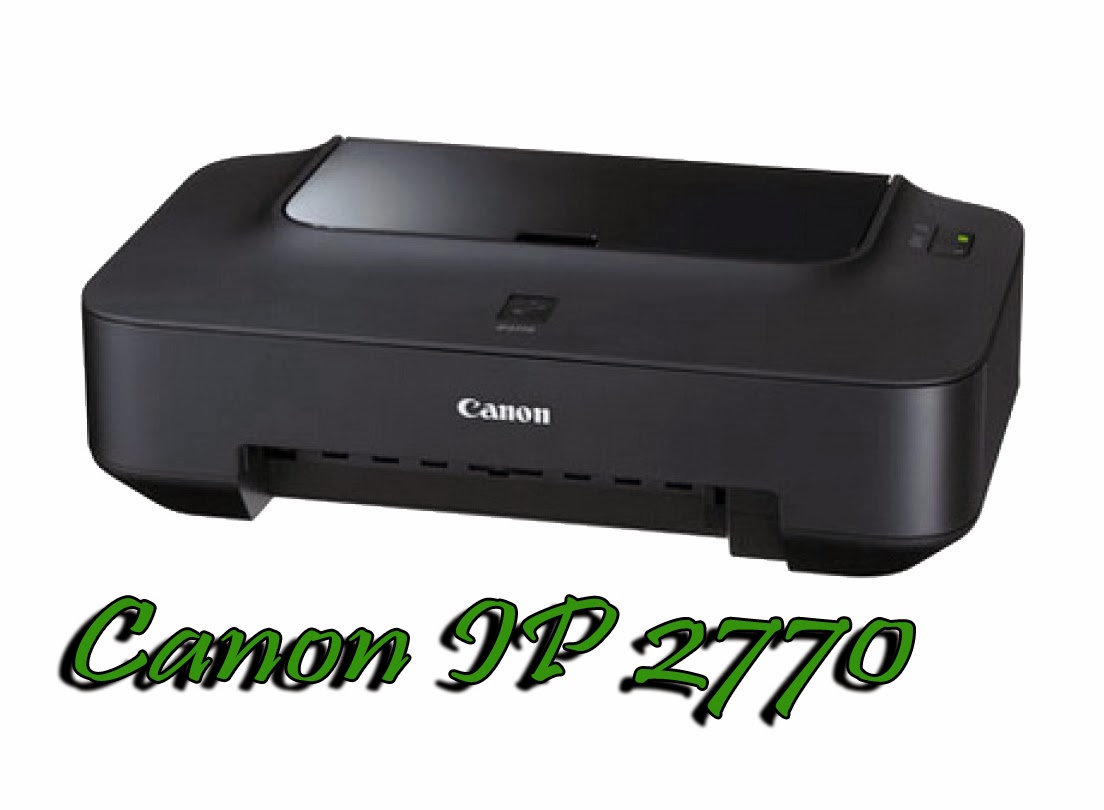
Canon IP 2770, the printer is cheap, only 14 $ US you can buy it.
But, sometimes, people prefer to inject this printer, in order to give more time to refill the ink.
How To Reset Canon IP 2770 Ink Pad
You can inject this printer by this steps :
  1. Buy tools, such as ink tank, ink hose, and plastic glue.
  2. You make a hole in the cartridge (3 mili meters).
  3. Connect hose, ink tank and catridge.
  4. And finnaly fill ink tank with ink.
But, injecting this printer, make the ink tank full quickly than a printer without injection.
If the ink pad or absorber is full, you wont can printing anything.
The indication in the printer is blinking green and orange alternately..

But dont worry, I have a solution to solve that problem.
First you will need a resetter.
You can download the resetter by clicking link below :

http://www.4shared.com/archive/yMDI73j6ce/Service_tool_v3400.html


And you must reset the printer in service mode.

This is the steps how to come to service mode :
  1. Push the reset button on your printer about 2 seconds, and then push the power button, so, now you push that two button.
  2. Release your finger at reset button, so, now you only push the power button.
  3. In condition you push power button, dont release it. And push the reset button six times.
  4. Now, you in service mode.
  5. The indication is, appear found new device at your monitor.
Then, now the times you reset the ink pad or ink absober at your printer.
  1. Extract the downloaded resetter and Open the resetter.
  2. Click EEPROM button, and please wait until the proccess is completed, if the proccess is completed your printer should print automatically, and appear an information if the proccess was completed.
  3. Then, Click Cleaning button, and wait until appear an information that cleaning proccess is completed.
  4. In pannel Clear Ink Counter, Click set, and please wait until appear an information that the function was completely finished.
  5. Finnaly, click set button in pannel Ink Absorber Counter. And please wait until completely finish.
  6. If all of steps 1 until 5 have done, look at your printer LED indication, it will becomes green again.
Oke, my tips today,  How To Reset Canon IP 2770 Ink Pad


Available link for download

Read more »

Wednesday, March 15, 2017

How to reset Canon MP287 error P07 or P08

How to reset Canon MP287 error P07 or P08


Ive tried several tutorials online but unfortunately it didnt resolve the problem because of the resetter program which is not compatible to the printer.  So heres how to do it,

1. First, Turn off the printer
2. After turning OFF, press and Hold the STOP button at the same time Press and hold the Power button
3. Release the STOP button ( Dont release the Power button )
4. Press the STOP button  6 times.
5. Release the Power button
6.It will display/show black.

Now it will set the printer into service mode. If something will popup to install your printer, just ignore it, and click cancel.

The next thing to do is to download the Service Tool for Canon MP287 printer. Click here

After you have successfully downloaded the program, just  follow the steps shown on the image below.
Reset Canon MP287
In my case after I clicked the set button of Clear Ink Counter : Absorber-main, and restart the printer it solves the error P07 and can now print. Just perform a deep cleaning for 3-5 times to set the printer into a good quality printing.


Available link for download

Read more »