Showing posts with label manual. Show all posts
Showing posts with label manual. Show all posts
Thursday, March 23, 2017
Epson Stylus Photo R3000 Manual
Epson Stylus Photo R3000 Manual
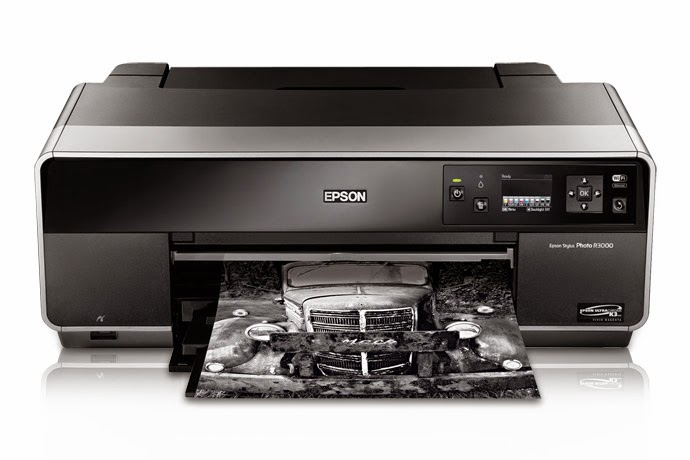
Printing Method
Advanced MicroPiezo AMC print head with ink-repelling coating technology 8-channel, drop-on-demand, ink jet print head 9-color (C, Lc, VM, VLm, Y, Lk, LLk + PK or MK) Pigment-based Epson UltraChrome K3 with Vivid Magenta Ink technology
Printable Area
Maximum paper width 13"
Maximum cut-sheet size 13" x 19"
Minimum cut-sheet size 3.5" x 5"
Maximum printable area 13" x 44"
Printer Interfaces
Hi-Speed USB 2.0 (1 port) 100Base-T Ethernet (1 port) Wi-Fi CERTIFIED™ (802.11n only)
Auto-Switching Black Ink Technology
Fully automatic switching between Black ink modes
Black ink conversion times
Matte to Photo Black Approx. 3 min 30 sec
Photo to Matte Black Approx. 2 min
Ink used during conversion
Matte to Photo Black Approx. 3 ml
Photo to Matte Black Approx. 1 ml
Media Handling
Main top-loading feeder Up to 13" x 19" Up to 120 sheets plain; 30 photo
Front media path Up to 13" x 19" Single sheet manual feeder, designed for fi ne art paper and media up to 1.3 mm thick 1 CD/DVD (using included tray)
Operating Systems Supported
Mac® Mac OS® X, 10.5.x – 10.6.x Windows Windows® 7 (32-bit, 64-bit), Windows Vista® (32-bit, 64-bit), Windows XP, Windows XP Professional x64 Edition
Nozzle Configuration
Color and Monochrome heads 180 nozzles x 8
Epson Intelligent Ink Cartridges
Cartridge fi ll volume 25.9 ml each color x 9 colors total
Ink cartridge shelf life 2 years from printed production date or 6 months after opened
Extended Service Programs
1-year Extended Service Plan EPPSNVIJE1
2-year Extended Service Plan EPPSNVIJE2
Droplet Technology
Smallest droplet size 2 picoliters
Variable Droplet Technology can produce up to three different droplet sizes per print line
Environmental Characteristics
Temperature
Operating 50 ? to 95 ?F (10 ? to 35 ?C)
Storage -4 ? to 104 ?F (-20 ? to 40 ?C)
Relative humidity
Operating 20 to 80% (no condensation)
Recommended storage 5 to 85% (no condensation)
Epson UltraChrome K3 Ink (25.9 ml)
Photo Black ink cartridge T157120
Cyan ink cartridge T157220
Vivid Magenta ink cartridge T157320
Yellow ink cartridge T157420
Light Cyan ink cartridge T157520
Vivid Light Magenta ink cartridge T157620
Light Black ink cartridge T157720
Matte Black ink cartridge T157820
Light Light Black ink cartridge T157920
Printer Speed
8" x 10" print Approx. 1 min 33 sec
13" x 19" print Approx. 2 min 30 sec
Safety Approvals
Safety standards UL1950, CSA 22.2 950 FDA
EMI FCC Part 15 subpart B class B, CSA C108.8 class B AS/NZS 3548 class B
Acoustic Noise Level
Approximately 38 dB according to ISO 7779
Printer Language/Drivers
Epson ESC/P®2 raster photographic drivers standard
Electrical Requirements
Voltage AC 110 – 120 V
Frequency 50 – 60 Hz
Current 0.6 A/110 – 120 V
Power consumption
Printing Approx. 21 W
Sleep mode Less than 3.5 W
ENERGY STAR® compliant (Tier 2)
Weight/Dimensions
Printer weight 35 lb
Dimensions 24.2" (W) x 14.5" (D) x 9" (H)
Download or view this Epson Stylus Photo R3000 Manual below
Download or view this Epson Stylus Photo R3000 Manual below
Available link for download

Tuesday, March 21, 2017
How to Manual Reset Printers Canon Pixma iP4200 iP5200 iP6000 and iP8500
How to Manual Reset Printers Canon Pixma iP4200 iP5200 iP6000 and iP8500
Canon Pixma iP4200, iP5200, iP6000, iP8500 Reset Procedure
- Turn off the Printers.
- Hold Resume button click POWER.
- Hold button RESUME, release POWER
- Then press the button again twice RESUME.
- Release all the buttons.
- Indicator led in green and stay green.
- Click the button 4 times RESUME, if you want to make another transaction. :
1 led- Orange – Service test print 1 times – Orange – Service test print
2 led – Green – EEPROM information print 2 times – Green – EEPROM information print
3 led – Orange – EEPROM initialization 3 times – Orange – EEPROM initialization
4 led – Green – Waste ink counter setting 4 time – Green – Waste ink counter setting
5 led – Orange – Destination setting (Press Power > Press Resume 3x) 5 times – Orange –
Destination setting (Press Power> Press Resume 3x)
6 led – Green – Print head deep cleaning 6 times – Green – Print head deep cleaning
11-13 led – Orange, Green, Orange – Return to menu selection
14 led – Green – Left margin correction 14 times – Green – Left margin correction
- Turn off the printer POWER button.
Available link for download
Tuesday, March 14, 2017
How to Reset Manual Printer Canon MP500
How to Reset Manual Printer Canon MP500
Manual reset method for canon MP500
- Press and hold STOP/RESET button.
- Press and hold POWER button.
- Release STOP/RESET button without releasing power button.
- Click STOP/RESET two times and then release power button.
- Prepare paper on the paper tray
- Press Stop/reset button for 1 times and then press power button, await till printer finished print.
- Press Stop/reset button for 2 times and then press power button, await till printer finished print again.
- Press Stop/reset button for 3 times then press power button to reset EEPROM.
- Press Stop/reset button for 4 times then press power button to reset Waste Ink Counter.
- Switch off the printer. if printer doesn’t turn off, press button power until printer off.
Available link for download
Friday, March 10, 2017
Epson Stylus Color 760 Reset Manual Guide
Epson Stylus Color 760 Reset Manual Guide
 The Epson Stylus Color 760Printer Manual is the primary document used for repairing, maintaining, and troubleshooting the printer. To ensure understanding of this product, complete the Epson Stylus Color 760 Manual Training and self-study guide.
Table of contents Epson Stylus Color 760 Service Manual
* Product Description
* Operating Principles
* Troubleshooting
* Disassembly and Assembly
* Adjustment
* Maintenance
* Appendix
Download Epson Stylus Color 760 Reset Manual Guide
Available link for download
Sunday, February 26, 2017
Epson Stylus NX420 Manual
Epson Stylus NX420 Manual
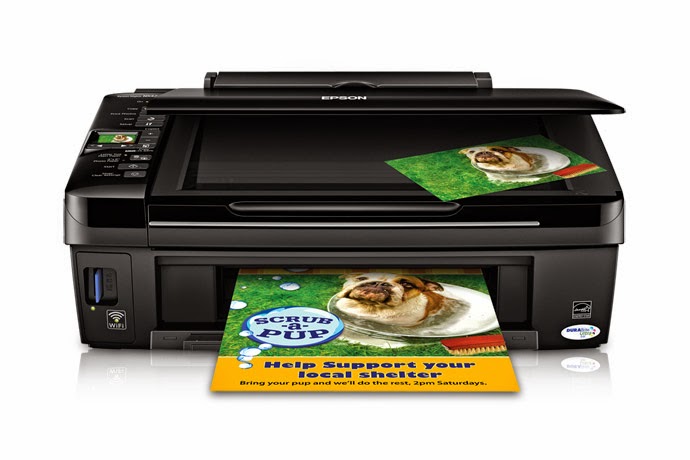
Before download Epson Stylus NX420 Manual see the specifications below
| Printing Technology | 4-color (CMYK) drop-on-demand MicroPiezo® inkjet technology |
| Nozzle Configuration | 42 x 3 — Cyan, Magenta and Yellow |
| Minimum Ink Droplet Size | 3 picoliters |
| Maximum Print Resolution | 5760 x 1440 optimized dpi |
| ISO Print Speed | Black: 6.4 ISO ppm Color: 3.3 ISO ppm |
| Copy | |
| Copy Quality | Color Black / White Draft Normal |
| Copy Quantity | 1 – 99 (PC-free) |
| Maximum Copy Size | 8.5" x 11" (PC-free) |
| Copy Features: | Fit to page Adjustable reduction and enlargement (25 – 400%) Adjustable copy density |
| Scan | |
| Scanner Type | Color flatbed |
| Photoelectric | Device: Color CIS line sensor |
| Optical Resolution: | 1200 dpi |
| Hardware Resolution | 1200 x 2400 dpi |
| Maximum Resolution | 9600 x 9600 dpi interpolated |
| Scanner Bit Depth | 48-bit color / 24-bit output |
| Paper Handling | |
| PC-Free Paper Support | Photo (4" x 6") Letter (8.5" x 11") |
| Paper Sizes | 3.5" x 5", 4" x 6", 5" x 7", 8" x 10", 8.5" x 11", A4, B5, A5, A6, half letter, executive, user definable (3.5" – 44" in length) |
| Maximum Paper Size | 8.5" x 44" |
| Borderless Sizes | Letter, A4, 8x10, 5x7, 4x6, 16:9 wide |
| Paper Types | Plain paper Epson Bright White Paper Photo Paper Glossy Premium Photo Paper Glossy Ultra Premium Photo Paper Glossy Premium Photo Paper Semi-gloss Presentation Paper Matte Premium Presentation Paper Matte Premium Presentation Paper Matte Double-sided Ultra Premium Presentation Paper Matte Matte Scrapbook Photo Paper (letter) |
| Envelope Types | No. 10 Plain paper Bond paper |
| Input Paper Capacity | 100 sheets plain paper, 10 envelopes |
| Ink | |
| Ink Type | DURABrite Ultra pigment ink (smudge, fade, water and highlighter resistant) |
| Ink Palette | Cyan, Magenta, Yellow and Black |
| Ink Cartridge Configuration | 4 individual ink cartridges |
| Fade Resistance / Print Longevity: | Up to 118 years |
| Replacement Ink Cartridges | Standard-capacity Black (T125120) Standard-capacity Cyan (T125220) Standard-capacity Magenta (T125320) Standard-capacity Yellow (T125420) Standard-capacity Multi-pack color (T125520) Moderate-use Black (T124120) Moderate-use Cyan (T124220) Moderate-use Magenta (T124320) Moderate-use Yellow (T124420) Moderate-use Multi-pack color (T124520) See Note |
| Ink Yield Information | Epson provides ink cartridge yields based on the ISO / IEC 24711 and 24712 standard for inkjet products, which excludes the first installed cartridges. Standard-capacity Black (T125120): About 265 pages Standard-capacity Cyan, Magenta, and Yellow (T125220, T125320, T125420): About 385 pages per color Moderate-use Black (T124120): About 200 pages Moderate-use Cyan, Magenta, and Yellow (T124220, T124320, T124420): About 220 pages per color |
| Connectivity | |
| Standard Connectivity | Hi-Speed USB 2.0, Wireless Wi-Fi (802.11 b/g/n |
| Supported Memory Cards | Memory Stick® Memory Stick Duo™,5 MagicGate™ Memory Stick MagicGate Memory Stick Duo™5 Memory Stick PRO™ Memory Stick Pro Duo™5 Memory Stick Micro5 Memory Stick PRO-HG Duo5 Secure Digital (SD™) SDHC™ mini SD™5 mini SDHC™5 micro SD™5 micro SDHC™5 MultiMediaCard™ xD-Picture Card™ xD-Picture Card Type-M RS-MMC,5 xD-Picture Card Type-H |
| General | |
| Operating Systems | Windows® 7, Windows Vista®, Windows XP, Windows XP x64 Mac OS® X 10.4.11, 10.5.8, 10.6.x |
| Display | 1.5" LCD |
| Image Enhancement Technologies | Auto Photo Correction, sepia, black-and-white, red-eye removal |
| Supported Digital Camera Technologies | Epson PRINT Image Matching®, Exif Print, DPOF, DCF v. 1.0 / 2.0 |
| Temperature | Operating 50° to 95° F (10° to 35° C) Storage -4° to 140° F (-20° to 40° C) |
| Humidity | Operating 20 – 80% Storage 5 – 85% |
| Sound Level | 38 dB |
| Rated Voltage | 100 – 120 VAC |
| Rated Frequency | 50 – 60 Hz |
| Rated Current | 0.5 Amp |
| Power Consumption | Normal mode: Approx. 13 W ISO 10561 Power off mode: Approx. 0.2 W ENERGY STAR® qualified |
| Safety Approvals | Safety standards UL60950, CSA C22.2 No. 60950, EMI FCC Part 15 subpart B class B, CAN / CSA – CEI / IEC CISPR 22 class B |
| Dimensions | Printing: 17.7" x 21.3" x 11.7" (W x D x H) Storage: 17.7" x 13.5" x 7.2" (W x D x H) |
| Weight | 12.3 lb |
| Special Features | Auto Photo Correction, sepia, black-and-white, red-eye removal |
| Software Included | Epson printer driver, Web to Page, Epson Scan |
Download or view Epson Stylus NX420 Manual PDF
Available link for download
Wednesday, February 15, 2017
Epson Stylus Photo P50 Manual
Epson Stylus Photo P50 Manual
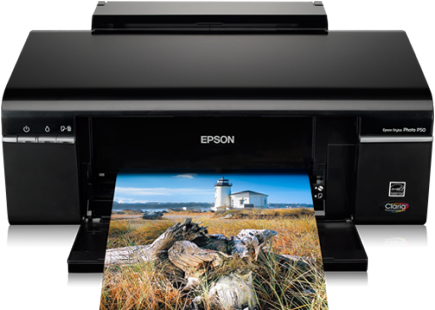
Before download Epson Stylus Photo P50 Manual see the specifications below
| Technology | |
| Nozzle Configuration | 90 Nozzles Black, 90 Nozzles per Color |
| Minimum Droplet Size | 1.5 pl |
| Ink Technology | Claria™ Photographic |
| Printing Resolution | 5,760 x 1,440 DPI |
| Category | Consumer |
| Printing Speed | 12 Seconds per 10 x 15 cm photo (Epson Premium Glossy Photo Paper), 38 Pages/min Color (plain paper 75 g/m²), 37 Pages/min Monochrome (plain paper 75 g/m²) |
| Colours | Light Magenta, Magenta, Yellow, Light Cyan, Cyan, Black |
| Paper Media Handling | |
| Number of paper tray | 1 |
| Paper Formats | A4, A5, A6, B5, C6 (Envelope), Letter, Letter Legal, 9 x 13 cm, 10 x 15 cm, 13 x 18 cm, 13 x 20 cm, 20 x 25 cm, 100 x 148 mm, 16:9, User defined |
| Duplex | No |
| Paper Tray Capacity | 120 Sheets Standard |
| General | |
| Product dimensions | 450? x 282 x 187 mm (Width x Depth x Height) |
| Product weight | 5.5 kg |
| Operating Systems | Mac OS 10.3+, Windows 2000, Windows 7, Windows Vista, Windows XP, Windows XP x64 |
| Included Software | Epson Easy Photo Print, Epson Print CD |
| Interfaces | USB |
| Sound Power Operation: | 5 B (A) |
| Sound Pressure Operation: | 34.7 dB (A) |
| Whats in the box | Individual Ink Cartridges, Main unit, Power cable, Software (CD), User manual (CD), Warranty document |
| Warranty | 12 months Carry in |
Download or view Epson Stylus Photo P50 Manual PDF
Available link for download
Thursday, February 2, 2017
How Manual Reset Printer Epson L210
How Manual Reset Printer Epson L210
How Manual Reset Printer Epson L210
How To Manual Reset Printer Epson L210 - In the world of printers is there any obstacles often faced from light damage to the heaviest damage. Sometimes there are strange also from the side of the printer, for example, the installation of a new cartridge, the cartridge is new is sometimes indirect illegible or has an error that impede the work later. The case was experienced by almost printer now. Especially on the Epson L210 printer that has a toughness compared to other printer is also not out of the small problems.
How Manual Reset Printer Epson L210
To understand conditions like that, you can double-check whether the cartridge is true - absolutely illegible or in poor condition. Usually it happens when using a cartridge that is not the original cause of brass driver can not read the cartridge. There are also other causes such as the indiscriminate inject cartridge is causing unreadable as well. If it happens that you can only do light handling such as manual reset Epson L210 printer. Indeed, there are two ways of resetting Epson L210 you can do. For more details, see the info below:
How to reset
How to reset Epson L210 Printer The first is an automatic way to use the software, for an explanation, please see here (How to Reset Epson L Series) and the second way to use the manual method. There is software that you can use to automatically reset the printer Epson L210, you only need to download it from the internet and follow each step.
The second way to use the manual how to reset the printer Epson L210 can you do when your internet connection is limited. That way you can immediately apply to the printer in light conditions. Heres how to manually reset the printer Epson L210:
- Turn the printer off and unplug the cord until approximately 5 minutes
- After the restart, if they encounter an error you can commit to the next stage
- Hold or press the reset button (or bearing the ink) for 5 seconds and then release
- Then press again for 3 seconds and press quickly
- Let the printer reset manually and wait until the process is complete
- Trials with test print or print document
If completed and succeeded in conducting test print means that the process has been completed for how to reset the printer manual Epson L210. You can perform the usual activities again. On error, indeed we can see on the computer screen contained a warning that the cartridge is not installed or illegible. It is inconvenient when important when the printer needs but broke.
If the problem still can not be completed by means of manual reset, you can try replacing the cartridge with another, there is a possibility that the cartridge is damaged. If the error still continues to ask your printer technician to more experts.
Available link for download
Thursday, January 26, 2017
Epson Stylus Photo R800 Manual
Epson Stylus Photo R800 Manual
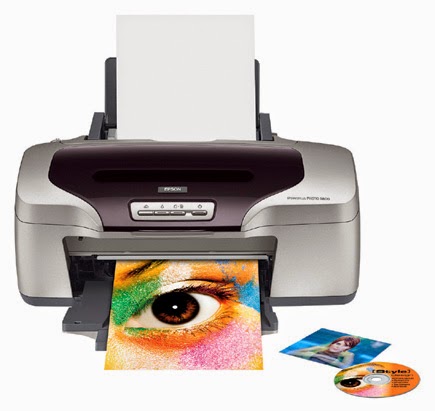
| Printing Technology | Advanced Micro Piezo® pigment ink jet, optimized for photo printing |
| Nozzle Configuration | 180 nozzles (per cartridge) |
| Ink Palette | 8-color (Cyan, Magenta, Yellow, Photo Black or Matte Black, Red, Blue and Gloss Optimizer) |
| Ink Cartridge Configuration | Individual cartridges Cyan (T054220) Magenta (T054320) Yellow (T054420) Photo Black (T054120) Matte Black (T054820) Red (T054720) Blue (T054920) Gloss Optimizer (T054020) |
| Ink Type | Epson UltraChrome Hi-Gloss® Pigment Ink |
| Minimum Ink Droplet Size | 1.5-picoliter |
| Ink Shelf Life | 2 years from production date; 6 months from first use |
| Maximum Resolution | 5760 x 1440 optimized dpi |
| Print Speed | Black Text Up to 17 ppm² 5" x 7" Photo As fast as 45 seconds² (Photo Mode) |
| Maximum Paper Width | Single sheet - 8.5", Roll paper - 8.3" |
| Maximum Printable Area | 8.3" x 44" |
| Paper Sizes | 4"x 6", 5" x 7", 8" x 10", A4 (8.3" x 11.7), letter (8.5" x 11"), legal (8.5" x 14"), panoramic (8.3" x 23.4"), user definable, plus 4" and 8.3" wide panoramic roll papers |
| Borderless Photo Sizes | 4" x 6", 5" x 7", 8" x 10", A4 (8.3" x 11.7") and panoramic (8.3" x 23.4") |
| Paper Types | Premium Glossy Photo Paper, Premium Semigloss Photo Paper, Premium Luster Photo Paper, Ultra Premium Glossy Photo Paper, Enhanced Matte Paper, Matte Paper Heavyweight, Photo Quality Inkjet Paper, Premium Bright White Paper, plain paper and ink jet printable CD/DVDs |
| Envelope Types | No. 10, DL, C6 |
| Special Media Support | Roll paper - 4" and 8.3" rolls , Direct CD/DVD printing |
| Direct CD / DVD Printing Support | YES |
| Light Resistance / Print Longevity | Fade resistant over 100 years (both matte and glossy media surfaces) |
| Paper Capacity | Input paper tray: 100 Sheets(plain paper)/ 20 sheets (photo paper)/ 10 envelopes/ 1 inkjet printable CD/DVD |
| Printer Dimensions Weight | Storage (L x W x H): 12.1" x 19.5" x 7.8" Printing (L x W x H): 25" x 19.5" x 12.8" Weight: 17.6 lb (without ink cartridges) |
| Interface and Connectivity | Hi-Speed USB 2.0 and FireWire® (IEEE 1394) |
| Operating Systems | Windows 98SE/2000/Me/XP, Mac 8.6-9.2, OSX 10.1.3 or later |
| Software Included | Epson Print CD Software and PRINT Image Matching II Plug-In for Adobe® Photoshop® 6.0, 7.0 and Elements (all titles are PC and Macintosh compatible, P.I.M.- and Exif Print-enabled) |
| Printer Language | Epson ESC/P Raster, Epson Remote |
| Color Management | EPSON Standard, EPSON Vivid Color and ICM or ColorSync® color management using ICC profiles |
| Color Management Solutions | Premium ICC Profiles |
| Printer Duty | 25,000 pages - A4 or letter |
| Environmental Conditions | Temperature: Operating 50° to 95° F (10° to 35° C), Storage -4° to 140° F (-20° to 60° C); Humidity: Operating 20% to 80% relative humidity, Storage 5% to 85% relative humidity (without condensation) |
| Power Requirements | Rated Voltage 120V AC Rated Frequency 50 - 60 Hz Rated Current 0.5 Amp (0.8 Amp max.) Power Consumption Approx. 20 W (Energy Star compliant), approx. 2 W in Standby mode Input Buffer 64KB |
Download or view Epson Stylus Photo R800 Manual PDF
Available link for download
Friday, January 20, 2017
Epson Stylus Pro 3880 Manual
Epson Stylus Pro 3880 Manual
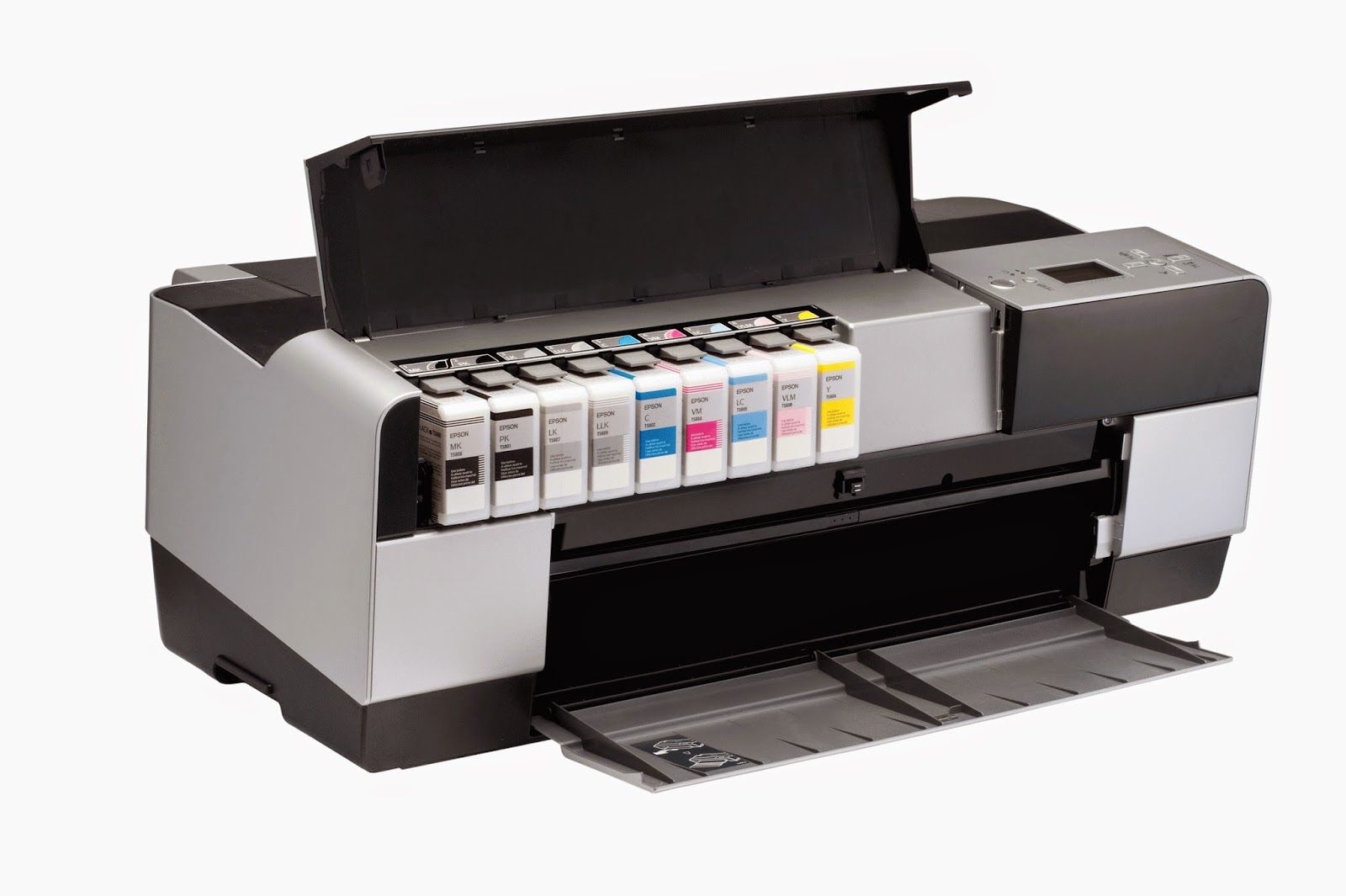
| Printing Technology | Advanced Micro Piezo® with 8-channel, drop-on-demand, inkjet print head |
| Nozzle Configuration | 180 nozzles x 8 |
| Minimum Ink Droplet Size | 3.5 picoliters Variable Droplet Technology can produce up to 3 different droplet sizes per print line |
| Maximum Print Resolution | 2880 x 1440 dpi |
| Maximum Printable Area | Maximum paper width: 17" Maximum cut-sheet size: 17" x 22" Minimum cut-sheet size: 4" x 6" Left and right margins: 0 or 3 mm each (0.24" total) Top and bottom margins: 0 or 3 mm or 15 mm each |
| Photo Print Speed | 8" x 10" — average is 4:08 11" x 14" — average is 6:39 16" x 20" — average is 10:591 |
| Paper Handling | |
| Maximum Paper Size | Main top-loading feeder: Up to 17" x 22" Manual rear path: Up to 17" x 22" Front manual feeder: Up to 16" x 20" straight-through |
| Maximum Paper Thickness | Up to 1.5 mm cardboard |
| Paper Weight | 12 lb bond |
| Borderless Sizes | 4" x 6", 5" x 7", 8" x 10", 11" x 14", 13" x 19", 17" x 22" |
| Paper Capacity | Main top-loading feeder: Up to 120 sheets of plain paper; 50 sheets of photo paper Manual rear path: Single sheet manual feeder, optimized for fine art paper Front manual feeder: Single sheet manual feeder up to 1.5 mm |
| Ink | |
| Ink Type | Epson UltraChrome K3™ with Vivid Magenta pigment ink |
| Ink Palette | Photo or Matte Black, Cyan, Vivid Magenta, Yellow, Light Cyan, Vivid Light Magenta, Light Black, Light Light Black |
| Ink Cartridge Configuration | Black Ink Mode Configuration Auto-sharing Black Ink Technology Fully automatic switching between Black ink modes Black ink conversion times Matte to Photo Black 2:55 min:sec Photo to Matte Black 1:55 min:sec Ink used during conversion3 Matte to Photo Black Approx. 4.5 ml Photo to Matte Black Approx. 1.5 ml |
| Fade Resistance / Print Longevity | Color: Up to 200 years Black-and-white: Over 200 years |
| Connectivity | |
| Interface | One (1) Hi-Speed USB 2.0 ports One (1) 100Base-T Ethernet port |
| General | |
| Operating Systems | Windows XP (64-bit also supported), Windows Vista® (64-bit also supported), Windows 7 (64-bit also supported) Mac® OS® X 10.4.11 – 10.5.x, 10.6.x |
| Printer Language | EPSON ESC/P2® raster photographic drivers standard Optional PANTONE® licensed and SWOP® certified PostScript Language Level 3 compatible RIP by ColorBurst® (included only with Graphic Arts Edition bundle) Supported by most leading, third-party RIPs and workflows |
| Temperature | Operating 50° to 95° F (10° to 35° C) Storage -4° to 104° F (-20° to 40° C) |
| Humidity | Operating 20% to 80% Storage 5% to 85% (no condensation) |
| Sound Level | 47 dB |
| Rated Voltage | AC 110 – 120V |
| Rated Frequency | 50 – 60 Hz |
| Rated Current | 0.6A / 110V – 120V |
| Power Consumption | Normal mode: Approx. 25W Sleep mode: Less than 5W Power Off mode: Less than .3W ENERGY STAR compliant (Tier 2) |
| Safety Standards | UL1950, CSA 22.2 950 FDA, EMI: FCC Part 15 subpart B class B, CSA C108.8 class B, AS/NZS 3548 class B |
| Dimensions | 27"x 15" x 10" (W x D x H) |
| Weight | 43.2 lb |
Download Epson Stylus Pro 3880 Manual PDF
Available link for download
Saturday, January 14, 2017
Epson Stylus Color 760 Printer Service Manual
Epson Stylus Color 760 Printer Service Manual
Download Epson Stylus Color 760 Service Manual. The Epson Stylus Color 760Printer Manual is the primary document used for repairing, maintaining, and troubleshooting the printer. To ensure understanding of this product, complete the Epson Stylus Color 760 Manual Training and self-study guide.
Table of contents Epson Stylus Color 760 Service Manual
* Product Description
* Operating Principles
* Troubleshooting
* Disassembly and Assembly
* Adjustment
* Maintenance
* Appendix
Download Epson Stylus Color 760 Printer Manual
Table of contents Epson Stylus Color 760 Service Manual
* Product Description
* Operating Principles
* Troubleshooting
* Disassembly and Assembly
* Adjustment
* Maintenance
* Appendix
Download Epson Stylus Color 760 Printer Manual
Available link for download
Saturday, December 17, 2016
How to Reset Manual for Canon Pixma MPC190 Printers
How to Reset Manual for Canon Pixma MPC190 Printers
Follow the step below how to reset manual for Canon Pixma MPC190 Printers :
- Enter the service mode SERVICE MODE – pressing buttons Menu, Copy, Scan, Copy, Copy
- Choose TEST MODE.
- Select 8 PRINTER TEST TEST MODE.
- Choose 3, EEPROM CLEAR
- Select 0, INK COUNT
- Press the Set button.
- Click Stop / Reset button (return to item 3), and again press the ON / OF
Available link for download
Friday, December 9, 2016
Epson Stylus Photo T50 Manual
Epson Stylus Photo T50 Manual

Before download Epson Stylus NX420 Manual see the specifications below.
| Printing | |
| Paper path | Sheet feeder, top entry |
| Sheet feeder capacity | Approx.120 sheets at 90 g/m |
| Ink Cartridges | |
| Color | Cyan (82N), Magenta (82N), Yellow (82N), Black (82N) |
| Cartridge life | 6 months |
| Temperature | Storage: –20 °C to 40 °C 1 montha at 40 °C Ink freezes at*: –16 °C *Ink thaws and is usable after approximately 3 hours at 25 °C. |
| Mechanical | |
| Size . | Width: 450 mm Depth: 289 mm Height: 187 mm |
| Weight | 5.5 kg (without the ink cartridges) |
| Electrical | |
| Input voltage range | 90 to 132 V (100-120 V Model) 198 to 264 V (220-240 V Model) |
| Rated current | 0.6 A (100-120 V Model) 0.3 A (220-240 V Model) |
| Power consumption | (100-120 V Model) Printing: Approx. 13 W Sleep mode: Approx 1.0 W Power off mode: Approx. 0.2 W (220-240 V Model) Printing: Approx.13 W Sleep mode: 1.2 W Power off mode: 0.3 W |
| Rated frequency range | 50 to 60 Hz |
| Environmental | |
| Temperature | Operation: 10 to 35 °C Storage: –20 to 40 °C 1 month at 40 °C |
Humidity (without condensation) | Operation: 20% to 80% RH Storage: 5% to 85% RH |
| Interface | |
| Type | One USB 2.0 Hi-Speed (for computer) |
| Standards | |
| Safety | UL 60950-1 CAN/CSA C22.2 Nº 60950-1 |
| EMC | FCC part 15 Subparte B class B CAN/CSA-CEI/IEC CISPR 22 class B |
Download Epson Stylus Photo T50 Manual
Available link for download
Tuesday, November 29, 2016
Epson WorkForce 610 Manual
Epson WorkForce 610 Manual

| Printing Technology | 4-color CMYK drop-on-demand MicroPiezo® inkjet technology |
| Minimum Ink Droplet Size | 2 picoliters |
| Maximum Print Resolution | 5760 x 1440 optimized dpi |
| ISO Print Speed | Black: 15 ppm1 Color: 9.3 ppm1 |
| PC-Free Printing | Print all photos Photo index sheet Color photo restoration Scan to PDF Scan to memory card Auto Photo Correction Print your own school papers — college-ruled, wide-ruled, graph papers and personalized stationery |
| Copy | |
| Copy Quality | Color Black / White Draft Normal |
| Copy Quantity | 1 – 99 (PC-free) |
| Maximum Copy Size | 8.5" x 11" (PC-free) |
| Copy Features | Fit to page Automatic reduction and enlargement (25 – 400%) Adjustable copy density |
| Scan | |
| Scanner Type | Color flatbed |
| Photoelectric Device | Color CIS line sensor |
| Optical Resolution | 2400 dpi |
| Hardware Resolution | 2400 x 2400 dpi |
| Maximum Resolution | 9600 x 9600 dpi interpolated |
| Scanner Bit Depth | 48-bit color / 24-bit output |
| Fax | |
| Fax Settings | Black-and-white and color |
| Fax Speed: Modem | 33.6 Kbps — as fast as 3 sec per page |
| Memory | Up to 180 pages |
| Speed Dials | 60 |
| PC Fax | Supported |
| Paper Handling | |
| PC-Free Paper Support | Plain (8.5" x 11") Photo (4" x 6", 5" x 7", 8” x 10”, 8.5" x 11", 16:9 wide) |
| Automatic Document Feeder | 30 Sheets |
| Paper Sizes | 3.5" x 5", 4" x 6", 5" x 7", 8" x 10", 8.5" x 11", 8.5" x 14", A4, B5, A5, A6, half letter, executive, user definable (3.5" – 44" in length) |
| Maximum Paper Size | 8.5" x 44" |
| Borderless Sizes | 3.5" x 5", 4" x 6", 5" x 7", 8" x 10", 8.5" x 11", A4, 16:9 wide |
| Paper Types | Plain paper Epson Bright White Paper Photo Paper Glossy Premium Photo Paper Glossy Ultra Premium Photo Paper Glossy Premium Photo Paper Semi-gloss Presentation Paper Matte Premium Presentation Paper Matte Premium Presentation Paper Matte Double-sided Matte Scrapbook Photo Paper (letter) |
| Envelope Types | No. 10 DL C6 Plain paper Bond paper Air mail |
| Input Paper Capacity | 100 sheets plain paper, 10 envelopes |
| Ink | |
| Ink Type | DURABrite® Ultra pigment ink (smudge, fade, water resistant, and highlighter friendly) |
| Ink Palette | Cyan, Magenta, Yellow and Black |
| Ink Cartridge Configuration | 4 individual ink cartridges |
| Fade Resistance / Print Longevity | Up to 118 years |
| Replacement Ink Cartridges | Extra High-capacity Black (T097120) High-capacity Black (T068120) High-capacity Cyan (T068220) High-capacity Magenta (T068320) High-capacity Yellow (T068420) High-capacity Multi-pack color (T068520) Standard-capacity Black (T069120) Standard-capacity Cyan (T069220) Standard-capacity Magenta (T069320) Standard-capacity Yellow (T069420) Standard-capacity Multi-pack color (T069520) See Note |
| Ink Yield Information | Epson provides ink cartridge yields based on the ISO / IEC 24711 and 24712 standard for inkjet products, which excludes the first installed cartridges. Extra High-capacity Black (T097120): About 900 pages High-capacity Black (T068120): About 410 pages High-capacity Cyan, Magenta, and Yellow (T068220, T068320, T068420): About 525 pages per color Standard-capacity Black (T069120): About 245 pages Standard-capacity Cyan, Magenta, and Yellow (T069220, T069320, T069420): About 340 pages per color |
| Connectivity | |
| Standard Connectivity | Hi-Speed USB 2.0, Wireless Wi-Fi (802.11 b/g) — Compatible with 802.11n, Wired Ethernet (10 / 100 Mbps) |
Supported Memory Cards | CompactFlash® Microdrive® Memory Stick® Memory Stick Duo™5 MagicGate™ Memory Stick MagicGate Memory Stick Duo™5 Memory Stick PRO™ Memory Stick Pro Duo™5 Secure Digital (SD™) SDHC™ Mini SD™5 Mini SDHC™5 Micro SD™5 Micro SDHC™5 MultiMediaCard™ xD-Picture Card™ xD-Picture Card Type-M xD-Picture Card Type-H |
| Direct Camera Connection | Front PictBridge™ port (print from digital cameras and mobile phones, PC-free) |
| General | |
| Operating Systems | Windows® 7, Windows Vista®, Windows XP, Windows XP x64, Windows 2000 Mac OS® X 10.3.9, 10.4.11, 10.5.x and 10.6.x. For the latest information regarding Snow Leopard |
| Display | 2.5", tilt LCD display |
| Supported Digital Camera Technologies: | Epson PRINT Image Matching®, Exif Print, DPOF, DCF v. 1.0 / 2.0 |
| Color Management | Auto Photo Correction, Epson Vivid Color™, Adobe RGB and ICM |
| Temperature | Operating 50° to 95° F (10° to 35° C) Storage -4° to 104° F (-20° to 40° C) |
| Humidity | Operating 20 – 80% Storage 5 – 85% (no condensation) |
| Sound Level | 40 dB |
| Rated Voltage | 100 – 120 VAC |
| Rated Frequency | 50 – 60 Hz |
| Rated Current | 0.6 Amp |
| Power Consumption | Normal mode: Approx. 20 W ISO 10561 Sleep mode: Approx. 2.9 W ENERGY STAR® qualified |
| Safety Approvals | Safety standards UL60950, CSA C22.2 No. 60950, EMI FCC Part 15 subpart B class B, CAN / CSA-CEI / IEC CISPR 22 class B |
| Dimensions | Printing: 18.1" x 22.1" x 12" (W x D x H) Storage: 18.1" x 13.6" x 9.3" (W x D x H) |
| Weight | 18.3 lb |
| Software Included | Epson printer driver, Web to Page, Epson Scan, ArcSoft® Print Creations, PageManager® (e) 8.15 with OCR |
Download or view Epson WorkForce 610 Manual PDF
Available link for download
Tuesday, November 22, 2016
Epson Stylus SX425W Manual
Epson Stylus SX425W Manual
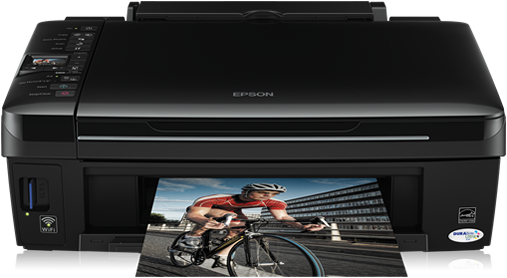
Before download Epson Stylus NX420 Manual see the specifications below
| Technology Print | |
| Printing Speed | 54 Seconds per 10 x 15 cm photo (Epson Premium Glossy Photo Paper), 15 Pages/min Color (plain paper 75 g/m²), 35 Pages/min Monochrome (plain paper 75 g/m²) |
| Paper or Media Handling | |
| Paper Formats | A4 |
| General | |
| Product dimensions | 450? x 342 x 182 mm (Width x Depth x Height) |
| Product weight | 7.5 kg |
Compatible Operating Systems | Windows 2000, Windows Vista, Windows XP |
| Interfaces | USB, WiFi |
| Other | |
| Warranty | 12 months Carry in |
Download Epson Stylus SX425W Manual
Available link for download
Sunday, October 16, 2016
Epson Stylus SX218 Manual
Epson Stylus SX218 Manual
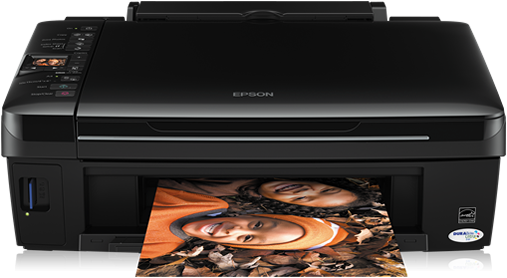
Before download Epson Stylus NX420 Manual see the specifications below.
| General Specifications | |
| Brand | Epson |
| Model | T50 |
| Series | Stylus Photo |
| Printer | |
| Type | Inkjet |
| Print Technology | MicroPiezo EPSON variable point - 6-color printing |
| Resolution | Up to 5760 x 1440 dpi resolution |
| Printing speed | Up to 38 ppm in black text and text color (draft mode) - 10 x 15cm photos in 11 seconds (draft mode) |
| Droplet Size | 1.5 picoliters, with DX5 technology offering up to 5 sizes of ink drops |
| Number of Nozzles | 90 nozzles x 6 |
| Printable Area | High: 21.6 cm (width) x 111 cm (length) |
| Paper size | 10 cm x 15 cm (4 "x 6"), 20 cm x 25 cm (8 "x 10"), letter, legal, trade (21.6 cm x 35.6 cm), A4, A6 |
| Paper Types | Common bond, coated paper, matte paper, glossy paper and semi-glossy finish, adhesive. |
| Paper Input | 120 sheets, 1 CD / DVD printable inkjet |
| System Requirements | |
| Interface | USB 2.0 (Compatible with USB 1.1) |
| Software | Windows 7 / Vista / XP / XP Professional x64 / 2000 - Macintosh OS X 10.3.9 / 10.4.11 / 10.5.x |
| Power | Voltage: 100-120V or 220-240V (depending on region), Frequency: 50-60 Hz +/- 0.5 Hz - Power consumption: 13W printing and 1W (120V) / 1.2W (220V) at rest |
| Physical Characteristics | |
| Dimensions | 45 x 28.9 x 18.7 cm |
| Weight | 5.5 kg |
| Cartridges | |
| Compatible | Black Epson Stylus Photo 82: T082120-AL Yellow Epson Stylus Photo 82: T082420-AL Cyan Epson Stylus Photo 82: T082220-AL Cyan Epson Stylus Light 82: T082520-AL Magenta Epson Stylus Photo 82: T082320-AL 82 Light Magenta Epson Stylus : T082620-AL |
Download Epson Stylus SX218 Manual
Available link for download
Subscribe to:
Posts (Atom)