Showing posts with label e14. Show all posts
Showing posts with label e14. Show all posts
Monday, March 20, 2017
How to solve error code E14 1E4 or 14E on Canon printers
How to solve error code E14 1E4 or 14E on Canon printers
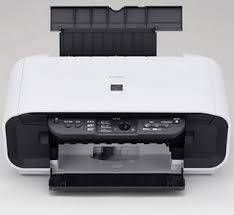
How to solve error code E14, 1E4 or 14E on Canon - SUPPORT DRIVER PRINTERS
The error code E14, 1E4 or 14E could appears on these Canon printers: MP140, MP150, MP160, MP190, MP280, etc...
According to the manual, it means the cartridge is in the bad location.
Solution 1:
- Check that the cartridge is in the good location.
Solution 2:
- If the cartridge is in the right location, try to reinstall it
Solution 3:
- Clean the cartridge contacts with a wipe.
Solution 4:
- The cartridge could be defective, try to install a new one
Show All SUPPORT DRIVER PRINTERS
Available link for download

Saturday, February 4, 2017
how to fix Error E14 and 1684 in CanonMX Series Printers
how to fix Error E14 and 1684 in CanonMX Series Printers
Error Code :1684/E14 - Orange light blinking 14 times
Description:
Ink cartridge is not supported (an ink tank that is sold in a different region from where the printer was purchased).
Ink cartridge is not supported (an ink tank that is sold in a different region from where the printer was purchased).
Resolution:
1. Lift the printer cover up.
2. Locate cartridge with no red light and replace with supported cartridge.
3. Press the [Resume/Cancel]button on the device to continue printing.
4. If the above solution has not resolved your error, please contact Canon 855-517-2433
Available link for download
Subscribe to:
Posts (Atom)